How to Share WiFi Password: 5 Ways on iPhone, Android, Mac and Windows – Without Giving Away the Keys
Every guest, contractor and new hire asks for it. Here's how to share your WiFi password on every major device, why a guest network matters, and how to send it remotely without leaving it in a chat forever.
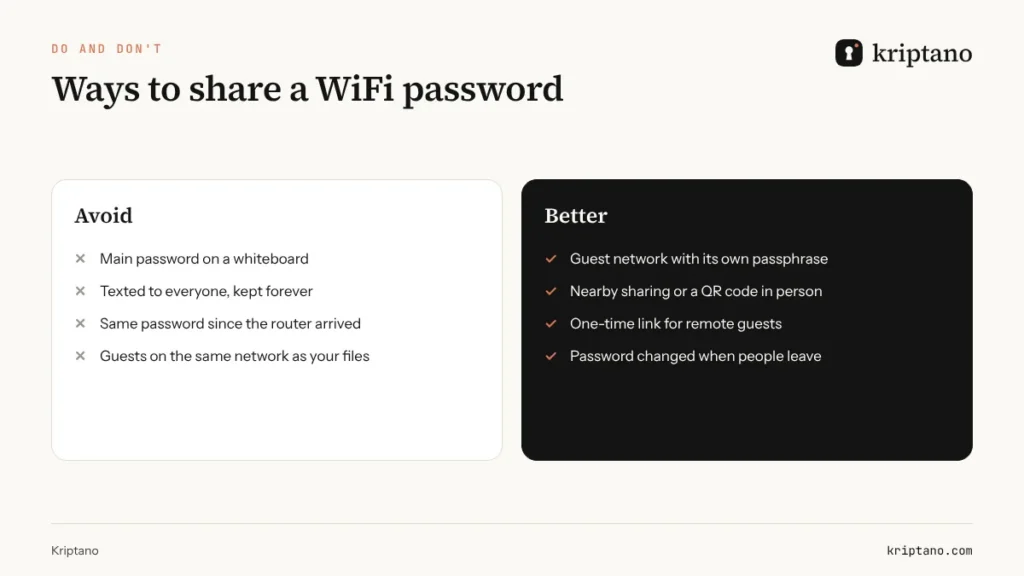
“What’s the WiFi password?” is probably the most-asked question in any home, office or Airbnb. It’s also a password most people share carelessly – read aloud, written on a whiteboard, or texted to someone who still has it two years later. This guide shows how to share WiFi password access on iPhone, Android, Mac and Windows, how to make a WiFi QR code, and why guest WiFi should be the network you hand out.
Contents
How to share WiFi password on iPhone and Mac
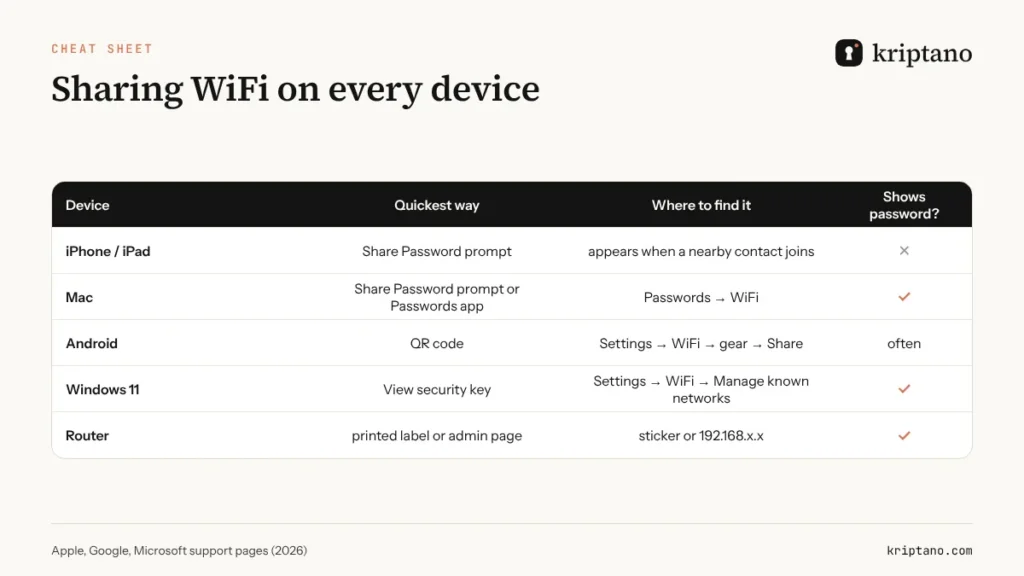
Apple devices can share a WiFi password with each other without anyone seeing it. Keep your iPhone unlocked and connected to the network, make sure WiFi and Bluetooth are on, and have the other person’s Apple ID in your Contacts. When their device tries to join, your iPhone shows Share Password – tap it and the password is filled in for them. It works the same way from a Mac.
For people who aren’t on Apple devices, newer versions of iOS and macOS include a Passwords app: open it, go to WiFi, choose the network and show the network QR code. The other person scans it with their camera and joins.
How to share a WiFi password on Android
On most Android phones (Android 10 and later), open Settings → Network & internet → WiFi, tap the gear next to your network and choose Share. After you unlock with your PIN or fingerprint, a WiFi QR code appears, and on many phones the password is shown underneath. Scanning the code with any modern phone camera joins the network. Labels vary by manufacturer, but “Share” with a QR icon is the thing to look for.
How to find and share it on Windows
On recent versions of Windows 11, open Settings → Network & internet → WiFi → Manage known networks, select the network and choose View WiFi security key. You’ll see the password, which you can then share in person or with a one-time link. On older versions, the password is in the network adapter’s wireless properties under “Show characters”.
Make a WiFi QR code for guests
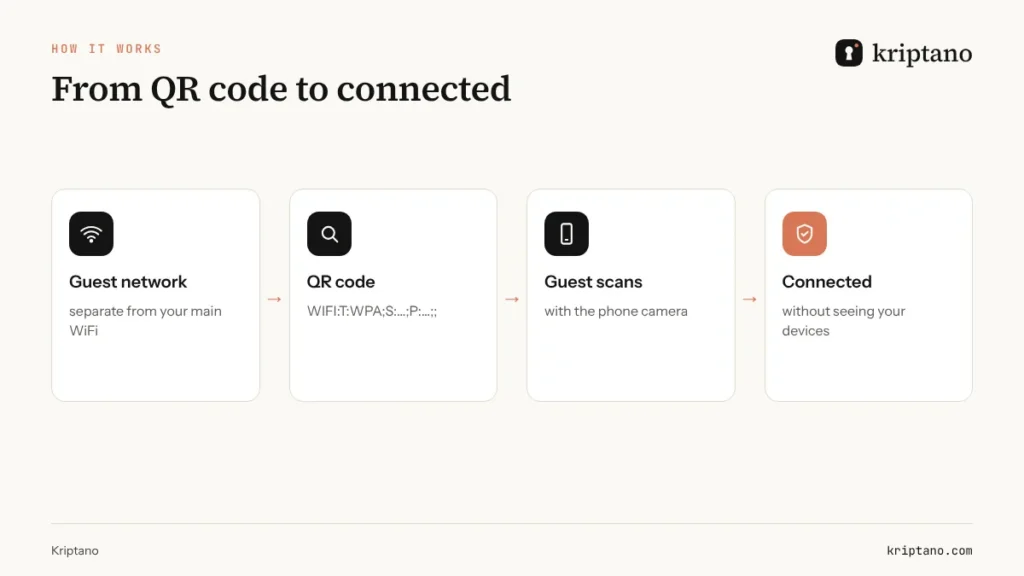
A WiFi QR code is just text in a standard format: `WIFI:T:WPA;S:NetworkName;P:Password;;`. Phones read it and join without typing. You can print one for a meeting room, reception desk or rental property – but remember that anyone who photographs the code has the password. That’s fine for a guest network, not for the network your printers, cameras and file server live on.
Why guest WiFi matters
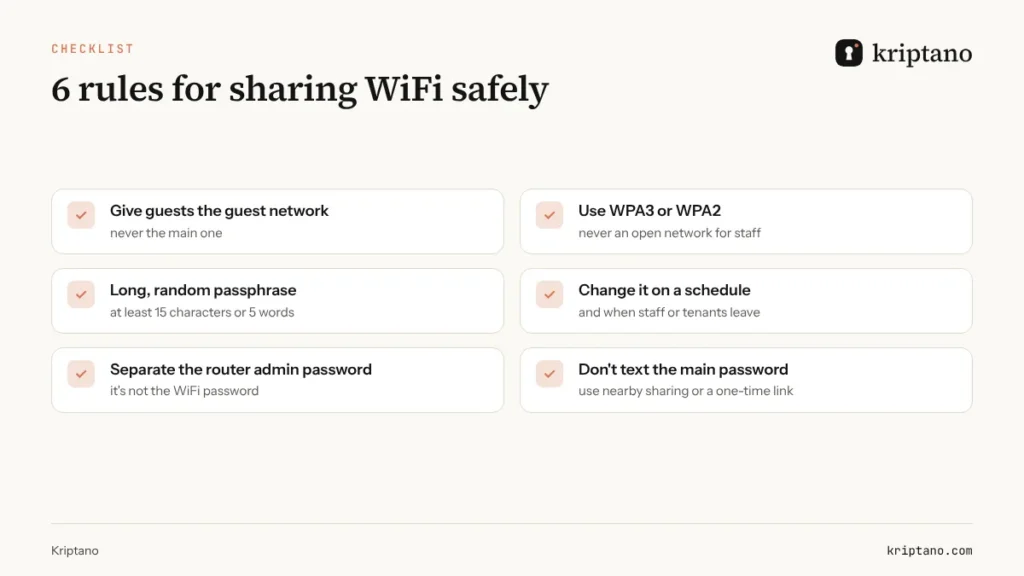
Most routers and mesh systems can create a guest network in a few taps, and the Wi-Fi Alliance recommends WPA3 security wherever your devices support it. Guests get internet access but can’t see your laptops, NAS, printers or smart-home devices. For a small business, that separation is basic hygiene: a visitor’s infected laptop shouldn’t be on the same network as your accounting computer.
Sharing the WiFi password remotely
Sometimes the person isn’t in the room – a cleaner arriving tomorrow, a contractor, an Airbnb guest, a new hire’s first day. The usual answer is a text or email, which means the password sits in a chat history forever and gets forwarded. A better way is a one-time secret link: the password is encrypted in your browser, the recipient opens it once, and it’s gone. If you rent out a property, send the link the day before check-in and change the guest password between stays.
Choose a WiFi password that’s strong and shareable
A WiFi password gets typed on TVs, game consoles and printers, so make it long rather than full of symbols. A passphrase of five or six random words is easy to type and very hard to crack – see our guide to the strong password generator and why true randomness beats invented passwords. Generate one here, then test it with the password strength checker:
Generated in your browser – never sent to the server.
More options
The strength test runs only in your browser. The breach check sends only the first 5 characters of the password’s SHA-1 hash to Have I Been Pwned (k-anonymity) – never the password.
Generated locally in your browser with the Web Crypto API (crypto.getRandomValues). Passwords are never sent to our server or stored – only your settings are remembered in this browser.
Frequently asked questions
How do I share my WiFi password from iPhone to iPhone?
Keep your iPhone unlocked and connected, turn on WiFi and Bluetooth, and make sure the other person is in your Contacts. When their iPhone tries to join, tap Share Password on yours.
How do I share WiFi from Android with a QR code?
Go to Settings → Network & internet → WiFi, tap the gear next to your network and choose Share. After you unlock, a QR code appears that any phone camera can scan.
Can I see my WiFi password on Windows 11?
Yes. In recent versions, open Settings → Network & internet → WiFi → Manage known networks, select the network and choose View WiFi security key.
Is a WiFi QR code safe?
It contains the password in plain text, so anyone who photographs it can join. Use QR codes for a guest network, not for the network your business devices use.
Should I give guests my main WiFi password?
No. Set up a guest network so visitors get internet access without seeing your computers, printers or smart devices.
How do I send a WiFi password to someone remotely?
Use a one-time secret link instead of a text or email. The password is encrypted in your browser and deleted after it’s read once.
Share WiFi without leaving a trace
Send the password with a one-time link – encrypted in your browser and deleted after it’s opened.