How to Check If a Link Is Safe: Spot a Phishing Link Before You Click (and What to Do If You Did)
"What is a phishing link" and "how to spot phishing emails" are among the fastest-rising security searches this year. Here is how to read a URL before you click, which free tools help, and what to do in the first 30 minutes if you already clicked.
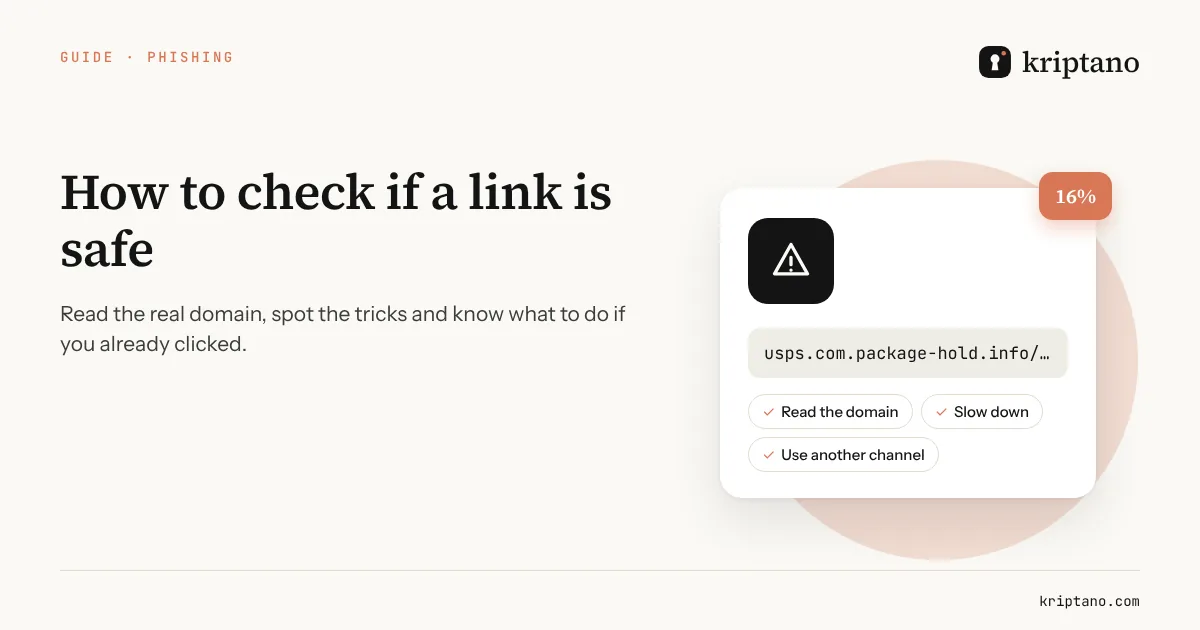
Searches for “what is a phishing link” and “how to spot phishing emails” keep climbing, and for good reason: the messages have never looked more convincing. A phishing link is an address that appears to lead to a site you know – your bank, USPS, Microsoft, a toll agency – but actually opens a copy built to steal your password, card number or one-time code. This guide shows how to check if a link is safe before you tap it, and what to do if it’s already too late.
Contents
What a phishing link is and why it still works
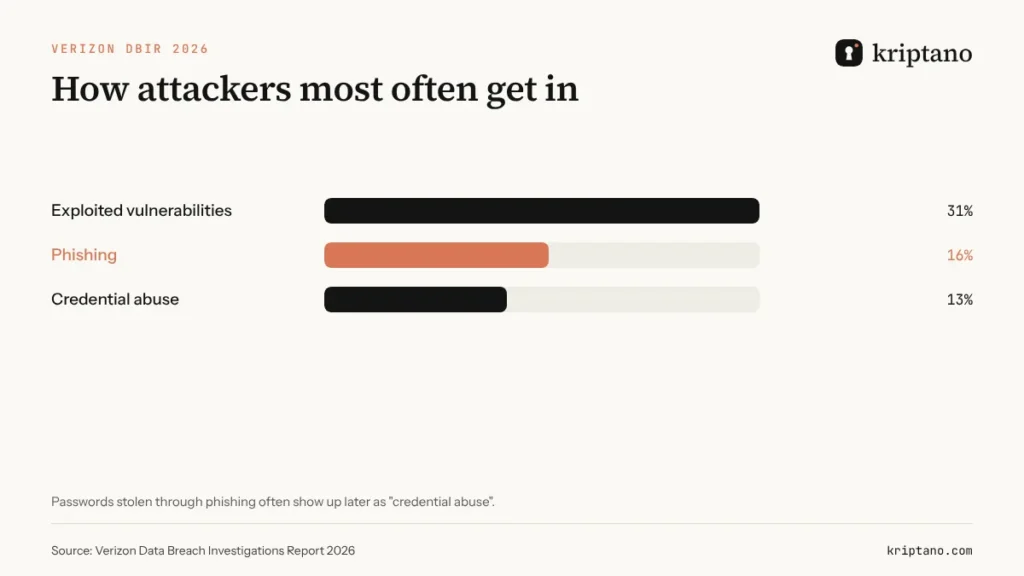
According to the Verizon 2026 Data Breach Investigations Report, phishing was the initial access vector in 16% of confirmed breaches, right behind exploited vulnerabilities. An attacker doesn’t have to break into anything if an employee types their password into a fake form. Today’s messages are grammatically clean, often written with AI, and fake login pages are nearly indistinguishable from the real ones.
How to check if a link is safe before you click
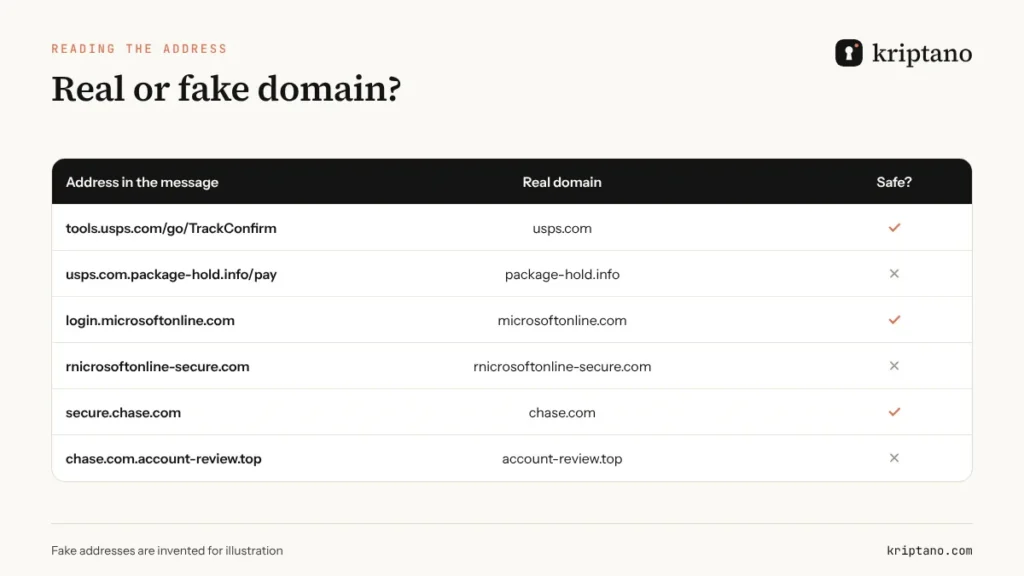
The most important skill is reading the domain. On a computer, hover over the link and look at the address in the bottom-left corner of your browser; on a phone, long-press the link to preview the real address. Read the domain from right to left, up to the first single slash: in `usps.com.package-hold.info/pay`, the real domain is `package-hold.info` – “usps.com” is just a subdomain the attacker made up.
- Extra words around a brand: `chase-secure-verify.com`, `ezpass-tolls-payment.net`.
- Swapped letters: `rnicrosoft.com` (rn instead of m), `paypa1.com`.
- Odd endings: .info, .top or .xyz for a “bank” or “post office”.
- Shortened links (bit.ly and similar) in a message that asks you to log in or pay.
- A QR code on paper or in a PDF that leads to a login page – so-called *quishing*.
Free tools help when you’re unsure. Google’s Safe Browsing site status and VirusTotal let you paste a URL and see whether it has been flagged. Treat a clean result as “not known bad yet”, not as proof – new phishing domains often go live hours before they’re listed.
The scams you’ll see most often
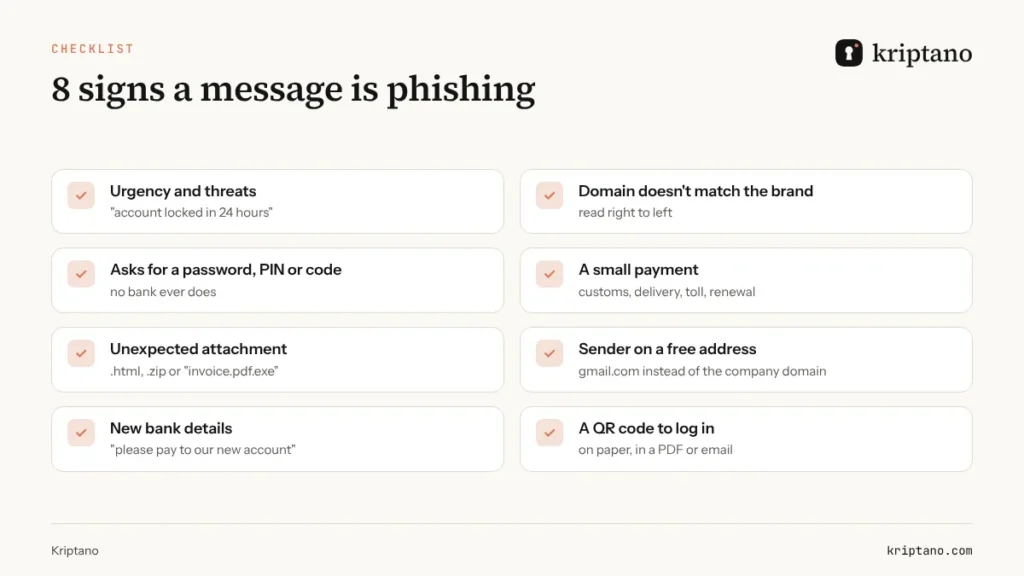
The scenarios repeat because they work: a package held for a small fee, an unpaid toll, a “suspicious sign-in” on your bank account, an expiring Microsoft 365 password, an overdue invoice attachment. They share three ingredients: urgency, a small amount and a request for information a real organization never asks for by message. For the text-message versions, see our guide to scam texts about tolls and traffic tickets.
Phishing emails at work: who gets targeted
At companies, the usual targets are finance (fake invoices and changed bank details), sales and support (fake customers and platforms) and admins (fake password-expiry notices). Targeted attacks mention real colleagues and real deals – details scraped from LinkedIn or an earlier breach.
The best defense isn’t only a filter, it’s a rule: passwords, codes and bank details are never exchanged by email. When you need a credential from a client, send a secret request – they type it into your form, it’s encrypted in their browser and only you can read it. More in our guide to one-time secret links.
Clicked a phishing link? The first 30 minutes
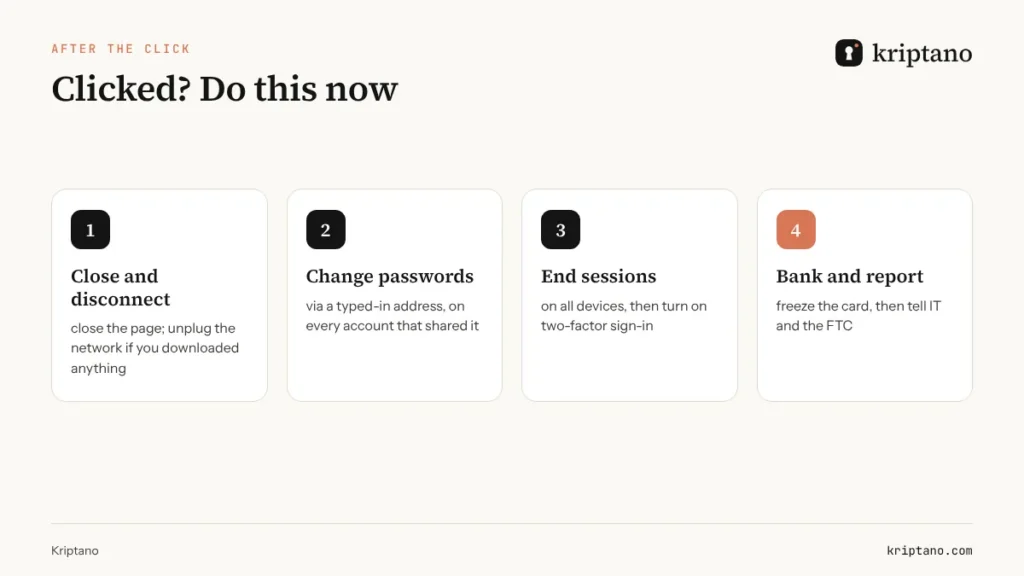
A click alone is rarely a disaster. The damage happens when you enter details or download a file. If that happened, act right away.
Disconnect
Close the page; if you downloaded a file, take the computer off the network.
Change the password
On the real site, typed in by hand – and everywhere you reused it.
Sign out everywhere
In account settings: “sign out of all devices”, and review connected apps.
Turn on 2FA
An authenticator app or passkey, not SMS if you have the choice.
Call your bank
If you entered card details or a code – right away, using the number on your card.
Report it
Tell your IT team, forward phishing email to reportphishing@apwg.org and file at ReportFraud.ftc.gov.
Create a new password with the password generator and test your current one with the password strength checker – the check runs in your browser and nothing is sent to a server.
Check how strong your new password is
Generated in your browser – never sent to the server.
More options
The strength test runs only in your browser. The breach check sends only the first 5 characters of the password’s SHA-1 hash to Have I Been Pwned (k-anonymity) – never the password.
Generated locally in your browser with the Web Crypto API (crypto.getRandomValues). Passwords are never sent to our server or stored – only your settings are remembered in this browser.
Limit the damage when someone does click
Even the best training won’t stop every click. So limit what an attacker can get: two-factor sign-in (see our one-time password guide), passkeys instead of passwords where possible, a different password for every system – and no passwords sitting in old emails or chats. The first thing an attacker does in a hijacked inbox is search for “password”, “login” and “access”.
To share credentials, use a one-time secret link that self-destructs after reading; more in how to share passwords securely.
Frequently asked questions
What is a phishing link?
A link that looks like it leads to a familiar site (a bank, USPS, Microsoft) but opens a fake copy designed to steal passwords, card details or codes.
How do I check if a link is safe before clicking?
Reveal the real address (hover, or long-press on a phone) and read the domain from right to left up to the first single slash. If it isn’t exactly the domain you expect, don’t click. Tools like Google Safe Browsing can add a second opinion.
Is it dangerous just to open a phishing link?
Usually not, if you don’t type anything or download anything. Still, close the page, update your browser and be wary of follow-up messages.
What should I do if I entered my password on a fake site?
Change it immediately on the real site, sign out of all sessions, enable two-factor sign-in and change the same password anywhere else you used it. If it’s your bank, call them.
Where do I report phishing in the US?
Forward phishing emails to reportphishing@apwg.org, forward scam texts to 7726 (SPAM) and report fraud at ReportFraud.ftc.gov. At work, tell your IT or security team first.
Can phishing come by text or chat?
Yes. SMS phishing (smishing) and messages on WhatsApp or other apps are now as common as email, and phones make it harder to see the full address.
Stop emailing passwords
A one-time link encrypted in your browser: read once, then gone. Free for up to 8 secrets a month.